

- Berichten: 49
- Ontvangen bedankjes 0
Report any technical problems you discover and discuss solutions.
The Ghost of Xerte: an answer that always show up
- teacherjonny
-
 Onderwerp Auteur
- Offline
- Senior lid
-

Minder
Meer
2 jaren 3 maanden geleden #9079
door teacherjonny
The Ghost of Xerte: an answer that always show up werd gestart door teacherjonny
I used the X of Y template to ask students to translate from a foreign language to English, allowing more than one correct answer. Here is an example. The Arabic sentence that means I did not live in Cairo: لم أعيش في القاهرة I allowed both "I didn't live in Cairo' and I did not live in Cairo" I did not choose to let the student see the possible answers. I wanted the student to type in the English translation. But the English sentences pop up as soon as you click on the input box. I deleted the file and emptied the trash. But If I create another new unrelated X of Y exercise those Cairo sentences appear on the screen. I have rebooted the computer. It doesn't help. Cairo endures. Any suggestions?
Thank you
Thank you
Graag Inloggen of een account aanmaken deelnemen aan het gesprek.
- admin
-
- Offline
- Administrator
-

Minder
Meer
- Berichten: 6
- Ontvangen bedankjes 3
2 jaren 3 maanden geleden #9083
door admin
Beantwoord door admin in topic The Ghost of Xerte: an answer that always show up
What happens if you use another browser? It seems like some sort of caching and that your computer shows the answers you (only you, others do not see that) typed in before. Could that be the problem?
Graag Inloggen of een account aanmaken deelnemen aan het gesprek.
- ymoore
-

- Offline
- Administrator
-
Minder
Meer
- Berichten: 102
- Ontvangen bedankjes 14
2 jaren 3 maanden geleden #9084
door ymoore
Beantwoord door ymoore in topic The Ghost of Xerte: an answer that always show up
From your description I wonder if this is caused by the browser autofill setting which is remembering your choices (possibly when testing it out?), so would be unique to you (and not display to your students when they try it). If you need to clear the autofill (in case you're demonstrating the activity to a class for example), you can turn off autofill and refresh your browser cache. This web page has some instructions:
support.reallysimplesystems.com/disable-autofill/
De volgende gebruiker (s) zei dank u: teacherjonny
Graag Inloggen of een account aanmaken deelnemen aan het gesprek.
- teacherjonny
-
Onderwerp Auteur
- Offline
- Senior lid
-
Minder
Meer
- Berichten: 49
- Ontvangen bedankjes 0
2 jaren 3 maanden geleden #9085
door teacherjonny
Beantwoord door teacherjonny in topic The Ghost of Xerte: an answer that always show up
Whew! I'll try it. Thank you so much!.
Graag Inloggen of een account aanmaken deelnemen aan het gesprek.
- teacherjonny
-
Onderwerp Auteur
- Offline
- Senior lid
-
Minder
Meer
- Berichten: 49
- Ontvangen bedankjes 0
2 jaren 3 maanden geleden #9086
door teacherjonny
Beantwoord door teacherjonny in topic The Ghost of Xerte: an answer that always show up
That worked! Many thanks.
Question: Is it possible to apply font styling to the marked words that are draggable?
Question: Is it possible to apply font styling to the marked words that are draggable?
Graag Inloggen of een account aanmaken deelnemen aan het gesprek.
- ymoore
-
- Offline
- Administrator
-
Minder
Meer
- Berichten: 102
- Ontvangen bedankjes 14
2 jaren 3 maanden geleden #9087
door ymoore
Beantwoord door ymoore in topic The Ghost of Xerte: an answer that always show up
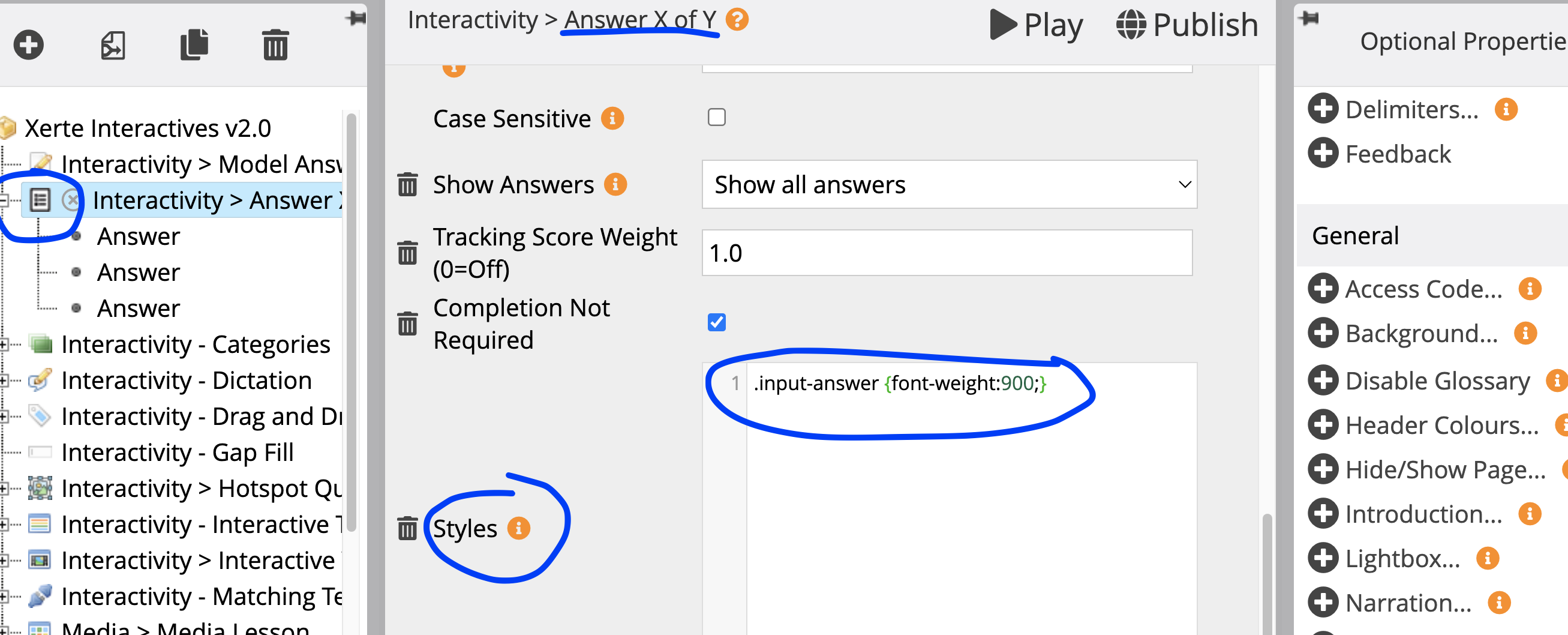
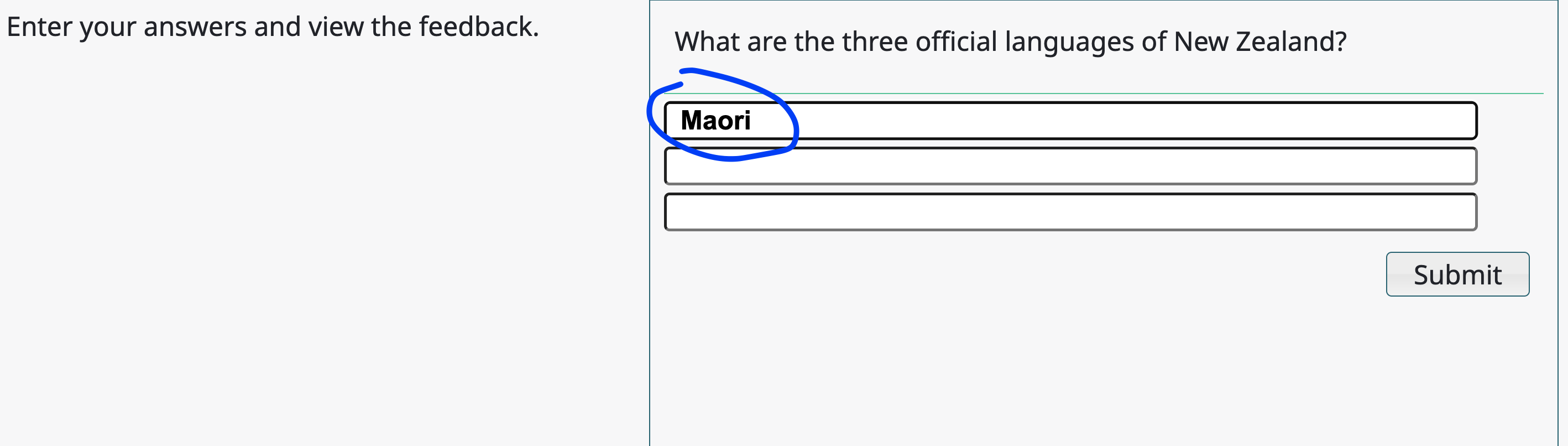
You can add the Styles option from the Optional Properties panel and add css styling for the class called .input-answer
Example:
.input-answer {font-weight:900;}
Example:
.input-answer {font-weight:900;}
De volgende gebruiker (s) zei dank u: teacherjonny
Graag Inloggen of een account aanmaken deelnemen aan het gesprek.
Moderators: ronm, julten, JohnSmith
Tijd voor maken pagina: 0.143 seconden