

- Berichten: 5
- Ontvangen bedankjes 0
Questions on getting Xerte Toolkits installed on your server and questions about authentication and user logins.
Web Browser installer access
- frances.madden
-
 Onderwerp Auteur
- Offline
- Nieuw lid
-

Minder
Meer
10 jaren 5 maanden geleden #3657
door frances.madden
Beantwoord door frances.madden in topic Web Browser installer access
The link you provided above, HTTP://localhost/ toolkits/ setup/index.php. I get an error message that the page cannot be found.
Thanks
Frances
Thanks
Frances
Graag Inloggen of een account aanmaken deelnemen aan het gesprek.
- tom
-

- Offline
- Administrator
-

Minder
Meer
- Berichten: 1365
- Ontvangen bedankjes 344
10 jaren 5 maanden geleden #3660
door tom
Beantwoord door tom in topic Web Browser installer access
Two things:
1. Just to be sure: you need to get the spaces out of the url.
2. If that doesn't work, in what folder did you unzip the xerte installation package on your PC
1. Just to be sure: you need to get the spaces out of the url.
2. If that doesn't work, in what folder did you unzip the xerte installation package on your PC
Graag Inloggen of een account aanmaken deelnemen aan het gesprek.
- frances.madden
-
Onderwerp Auteur
- Offline
- Nieuw lid
-
Minder
Meer
- Berichten: 5
- Ontvangen bedankjes 0
10 jaren 5 maanden geleden #3662
door frances.madden
Beantwoord door frances.madden in topic Web Browser installer access
I have removed the spaces when I log in.
I unzipped the installation package to: C:\xampp\htdocs\xertetoolkits.
I'm still getting the error message. I've attached an screenshot of the error message I get.
I unzipped the installation package to: C:\xampp\htdocs\xertetoolkits.
I'm still getting the error message. I've attached an screenshot of the error message I get.
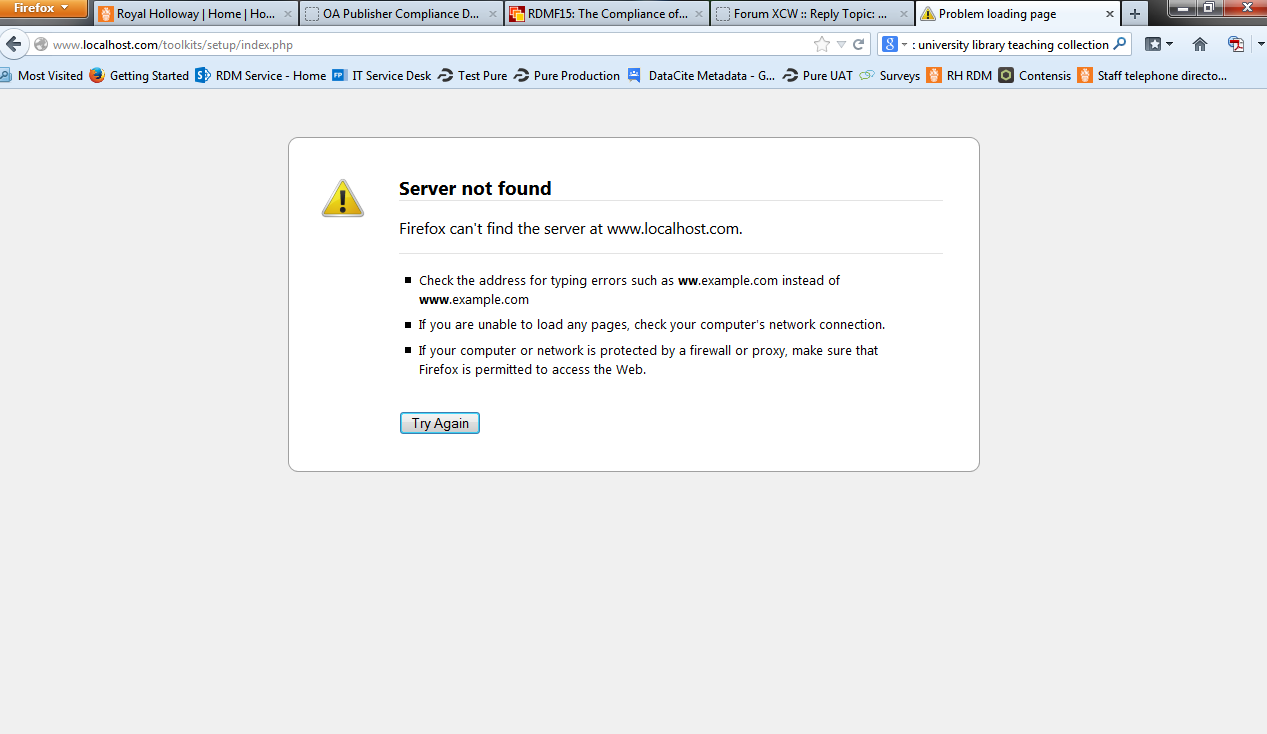
Graag Inloggen of een account aanmaken deelnemen aan het gesprek.
- tom
-
- Offline
- Administrator
-
Minder
Meer
- Berichten: 1365
- Ontvangen bedankjes 344
10 jaren 5 maanden geleden #3665
door tom
Beantwoord door tom in topic Web Browser installer access
If you unzipped in the folder xertetoolkits, you should use:
Code:
http://localhost/xertetoolkits/setup/index.php
Graag Inloggen of een account aanmaken deelnemen aan het gesprek.
Tijd voor maken pagina: 0.211 seconden