

- Berichten: 5
- Ontvangen bedankjes 0
Questions on getting Xerte Toolkits installed on your server and questions about authentication and user logins.
Importing to new XOT 3 installation
- pauline.ward@ed.ac.uk
-
 Onderwerp Auteur
- Offline
- Nieuw lid
-

Minder
Meer
9 jaren 5 maanden geleden #4418
door pauline.ward@ed.ac.uk
Importing to new XOT 3 installation werd gestart door pauline.ward@ed.ac.uk
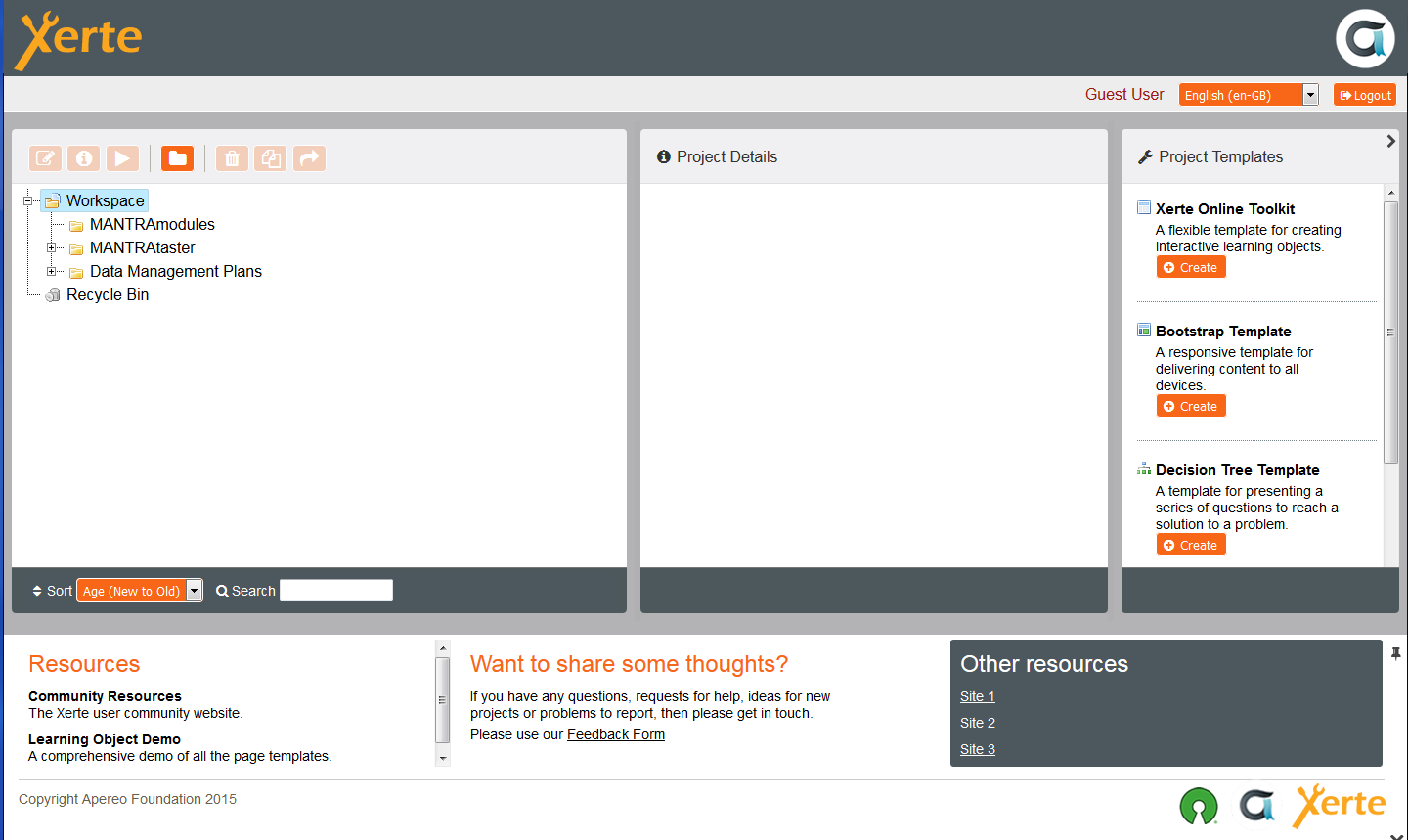
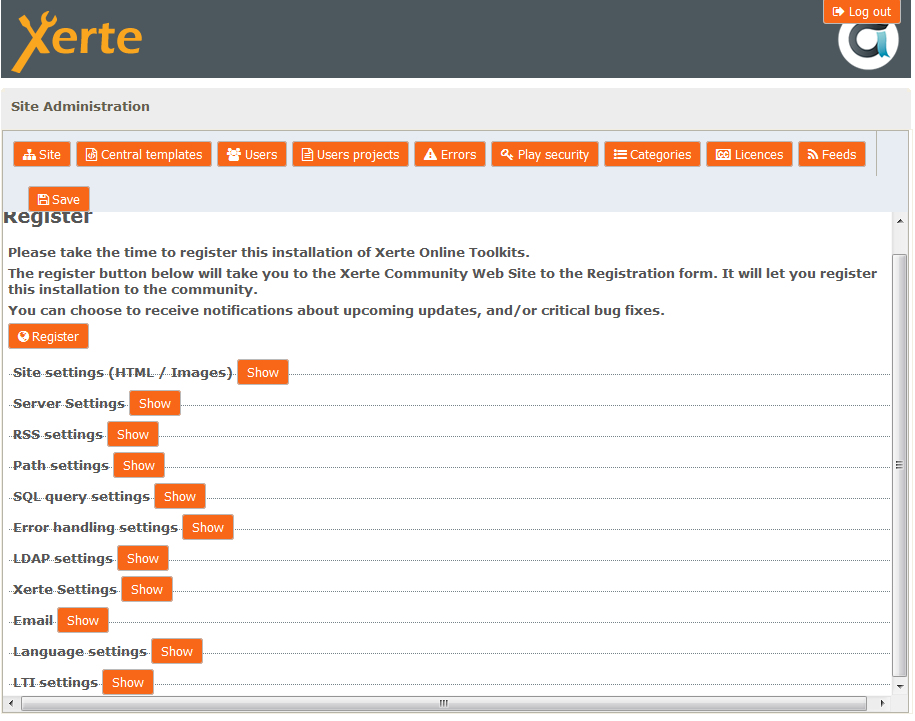
I've been given access to a colleague's installation of a more recent version of Xerte Online Toolkits (both public and admin) which I'm able to view, and I'm also able to create a new module, but there does not appear to be any control in the web interface allowing me to import the modules I've exported from my team's instance. Is it a setting? The public URL won't let me logout from the Guest User login. Whereas when I go to the admin site, I have looked through the various menus and cannot find any that would let me import.
Graag Inloggen of een account aanmaken deelnemen aan het gesprek.
- tom
-

- Offline
- Administrator
-

Minder
Meer
- Berichten: 1365
- Ontvangen bedankjes 344
9 jaren 5 maanden geleden #4419
door tom
Beantwoord door tom in topic Importing to new XOT 3 installation
The I icon should become active, when you select the workspace. Please try to select a different folder first, and then reselt the workspace. Does the I icon become active?
Also, this installation uses Guest Authentication. You cannot logout in that case (there is only one user: guest)
Also, this installation uses Guest Authentication. You cannot logout in that case (there is only one user: guest)
De volgende gebruiker (s) zei dank u: pauline.ward@ed.ac.uk
Graag Inloggen of een account aanmaken deelnemen aan het gesprek.
- pauline.ward@ed.ac.uk
-
Onderwerp Auteur
- Offline
- Nieuw lid
-
Minder
Meer
- Berichten: 5
- Ontvangen bedankjes 0
9 jaren 5 maanden geleden #4420
door pauline.ward@ed.ac.uk
Beantwoord door pauline.ward@ed.ac.uk in topic Importing to new XOT 3 installation
Thanks but whether I have the top-level "Workspace" selected or one of the sub-folders I've created, the only icons listed above them are:
- Properties (when I click on Properties, it shows me Folder Contents and Folder Properties, neither of which looks like I could use them to import a module...?)
- Delete
- New Folder
- Some inactive icons: Preview, Duplicate and Publish
Is there supposed to be another icon there somewhere?
Best regards, Pauline
- Properties (when I click on Properties, it shows me Folder Contents and Folder Properties, neither of which looks like I could use them to import a module...?)
- Delete
- New Folder
- Some inactive icons: Preview, Duplicate and Publish
Is there supposed to be another icon there somewhere?
Best regards, Pauline
Graag Inloggen of een account aanmaken deelnemen aan het gesprek.
- tom
-
- Offline
- Administrator
-
Minder
Meer
- Berichten: 1365
- Ontvangen bedankjes 344
9 jaren 5 maanden geleden #4421
door tom
Beantwoord door tom in topic Importing to new XOT 3 installation
Properties is good! And the properties for the toplevel workspace is (should be) different from the other folders.
See screenshot, and the order in which you need to press the buttons.
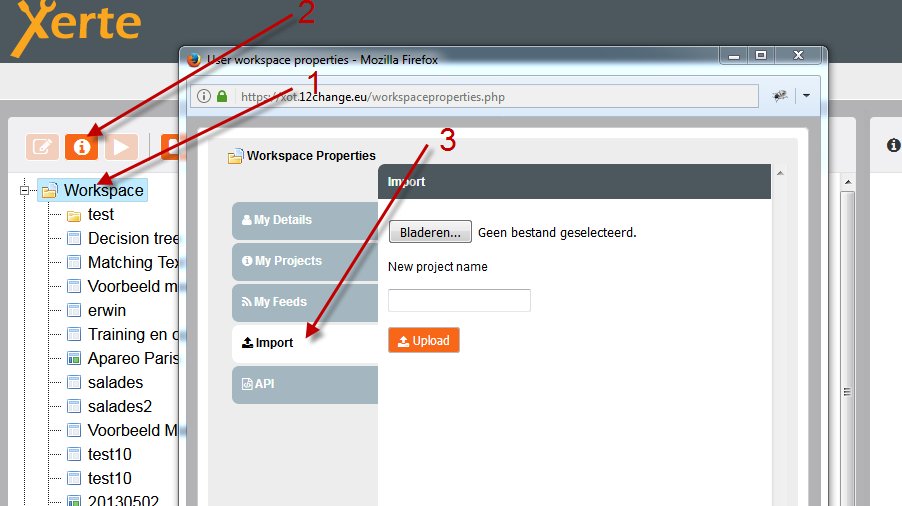
See screenshot, and the order in which you need to press the buttons.
De volgende gebruiker (s) zei dank u: pauline.ward@ed.ac.uk
Graag Inloggen of een account aanmaken deelnemen aan het gesprek.
- pauline.ward@ed.ac.uk
-
Onderwerp Auteur
- Offline
- Nieuw lid
-
Minder
Meer
- Berichten: 5
- Ontvangen bedankjes 0
9 jaren 5 maanden geleden #4426
door pauline.ward@ed.ac.uk
Beantwoord door pauline.ward@ed.ac.uk in topic Importing to new XOT 3 installation
Oh yes, that's it working now, I've managed to import several archive zips and I seem to be able to edit or play them. Much appreciated, thank you!
Graag Inloggen of een account aanmaken deelnemen aan het gesprek.
Tijd voor maken pagina: 0.159 seconden