

- Posts: 7
- Thank you received: 0
Report any technical problems you discover and discuss solutions.
My project has been locked
- Kopilkoatzin Reyes
-
 Topic Author
- Offline
- New Member
-

Less
More
3 years 3 months ago #8626
by Kopilkoatzin Reyes
My project has been locked was created by Kopilkoatzin Reyes
Hi, I hope you are in good health!
I worked more than a year creating here a complementary material for my thesis, everything was fine but since april 2023 I can't get access to my project, it says that all my documents are there but I can't open it. I never use another laptop.
I will be really thankful if someone knows what can I do about it.
I worked more than a year creating here a complementary material for my thesis, everything was fine but since april 2023 I can't get access to my project, it says that all my documents are there but I can't open it. I never use another laptop.
I will be really thankful if someone knows what can I do about it.
Please Log in or Create an account to join the conversation.
- tom
-

- Offline
- Administrator
-

Less
More
- Posts: 1365
- Thank you received: 344
3 years 3 months ago #8627
by tom
Replied by tom on topic My project has been locked
It looks like somehow the xml document that where all your project data is is, is somehow corrupted.
Use a verifying xml editor (like for example 'XML Copy Editor' ) to inspect the file. You can find the file in the USER-FILES folder of your xampp installation in a folder that starts with 1-
In that folder you will find two files: data.xml and preview.xml. Make a copy of those. Check preview.xml with the xml editor and use the verify function to see if it is legal. Fix the xml, and try again.
Use a verifying xml editor (like for example 'XML Copy Editor' ) to inspect the file. You can find the file in the USER-FILES folder of your xampp installation in a folder that starts with 1-
In that folder you will find two files: data.xml and preview.xml. Make a copy of those. Check preview.xml with the xml editor and use the verify function to see if it is legal. Fix the xml, and try again.
Please Log in or Create an account to join the conversation.
- Kopilkoatzin Reyes
-
Topic Author
- Offline
- New Member
-
Less
More
- Posts: 7
- Thank you received: 0
3 years 3 months ago #8628
by Kopilkoatzin Reyes
Replied by Kopilkoatzin Reyes on topic My project has been locked
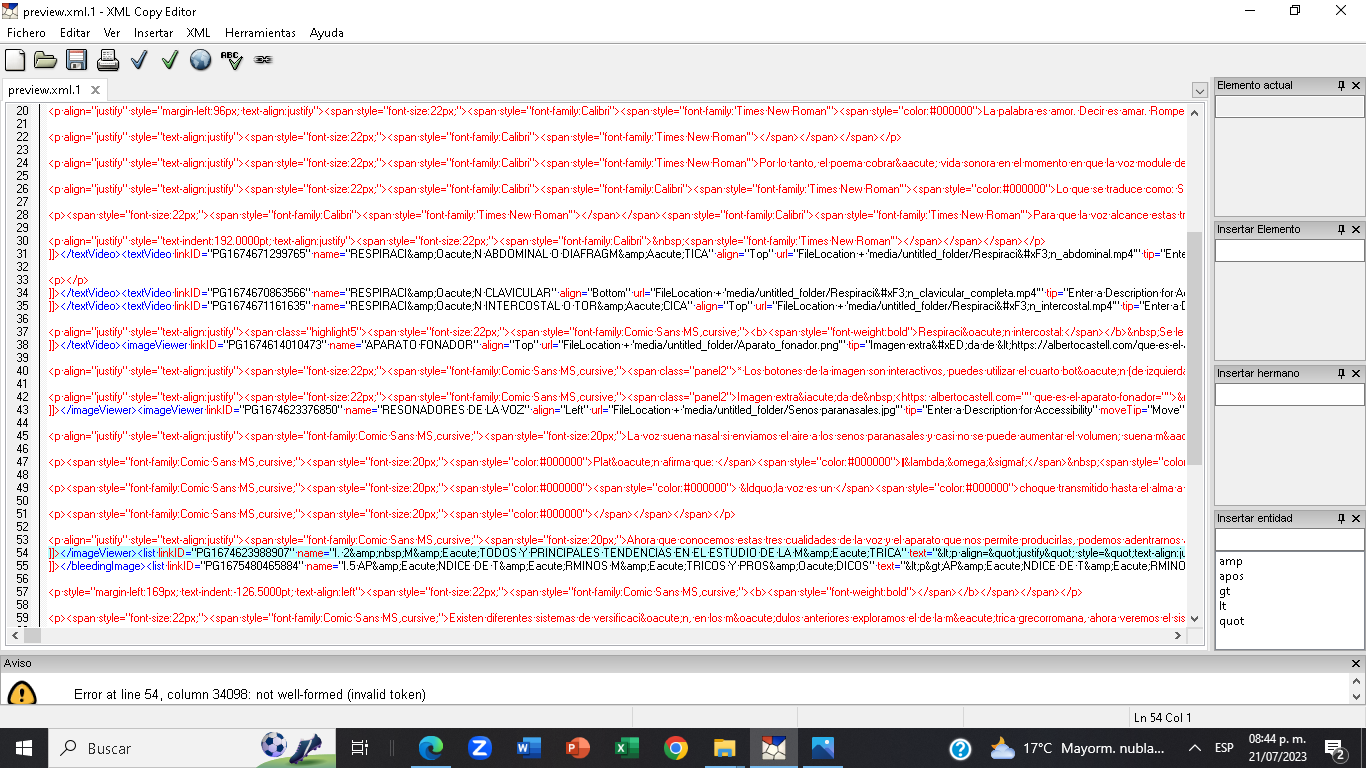
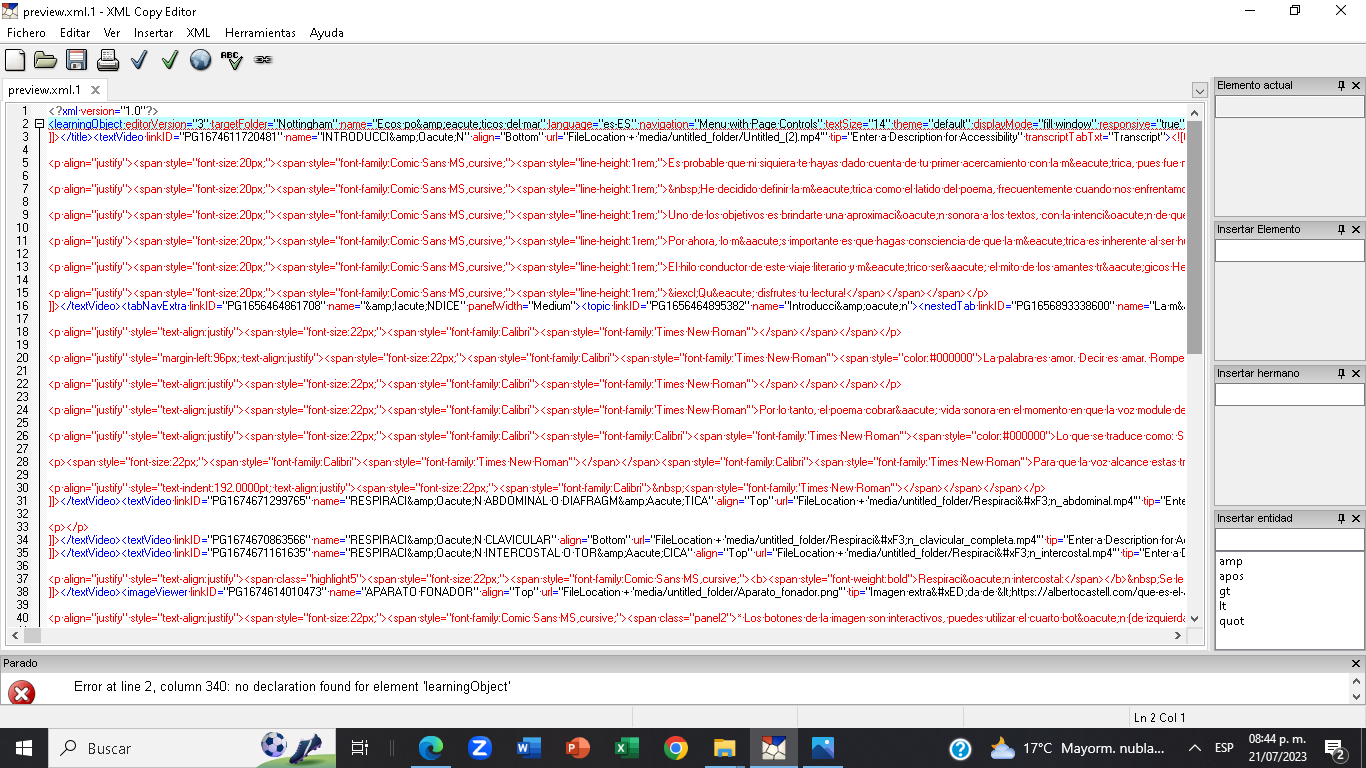
Thank you for the quick answer. I did it as you wrote until this point, but I don't know how to fix the xlm. I see that something is wrong in the line 2 and line 54 but I don't know what I have to correct...
Please Log in or Create an account to join the conversation.
- tom
-
- Offline
- Administrator
-
Less
More
- Posts: 1365
- Thank you received: 344
3 years 3 months ago - 3 years 3 months ago #8629
by tom
Replied by tom on topic My project has been locked
Good. Only the first screen shot is important.
You have an invalid character in there (probably from a paste from another source like Word).
The chanllenge is that line 54 is extremely long and the illegal character is at charecter position 34098 of that line. In the lower right corner you can see what charecter (col) the cursor is on. In the first screenshot that is on Line 54 Col 1. You need to try to navigate to Col 34098 and delete the character you find there, and than save the file. Again, please make a backup copy before you change anything.
You have an invalid character in there (probably from a paste from another source like Word).
The chanllenge is that line 54 is extremely long and the illegal character is at charecter position 34098 of that line. In the lower right corner you can see what charecter (col) the cursor is on. In the first screenshot that is on Line 54 Col 1. You need to try to navigate to Col 34098 and delete the character you find there, and than save the file. Again, please make a backup copy before you change anything.
Last edit: 3 years 3 months ago by tom.
The following user(s) said Thank You: Kopilkoatzin Reyes
Please Log in or Create an account to join the conversation.
- Kopilkoatzin Reyes
-
Topic Author
- Offline
- New Member
-
Less
More
- Posts: 7
- Thank you received: 0
3 years 3 months ago #8630
by Kopilkoatzin Reyes
Replied by Kopilkoatzin Reyes on topic My project has been locked
I'm really grateful for your suport, we did it!! It was something really easy but you saved my whole year work, I think I will include you in the acknowledgements of my thesis.
Kind regards
Kind regards
Please Log in or Create an account to join the conversation.
- tom
-
- Offline
- Administrator
-
Less
More
- Posts: 1365
- Thank you received: 344
3 years 3 months ago #8631
by tom
Replied by tom on topic My project has been locked
You're welcome.
Please Log in or Create an account to join the conversation.
Moderators: ronm, julten, JohnSmith
Time to create page: 0.218 seconds