

- Posts: 153
- Thank you received: 10
Report any technical problems you discover and discuss solutions.
Possible Special Character issue corrupting projects
- a511197
-
 Topic Author
- Offline
- Premium Member
-

Less
More
2 years 7 months ago - 2 years 7 months ago #8970
by a511197
If you can use Lego, you can use Xerte
Possible Special Character issue corrupting projects was created by a511197
I have several students who have created Xerte Online Toolkit projects in the past 2wks and now when they try to access the Xerte editor, the screen is blank. When I check on the Xerte System Admin tabs for their projects I get the same as them, a blank editor. When I check Project Properties (via System Admin) and look at the files they have uploaded into their Xerte projects, they are non-English filenames. Would that cause this issue of a blank editor screen? It's possible they may be creating content in other languages, would that be an issue? Is this a special character issue?
Would exporting the projects as a zip file and re-importing them into Xerte resolve this issue?
Any insight much appreciated. These students have a deadline of Friday 5th April.
( see Xertefilenames.jpg)
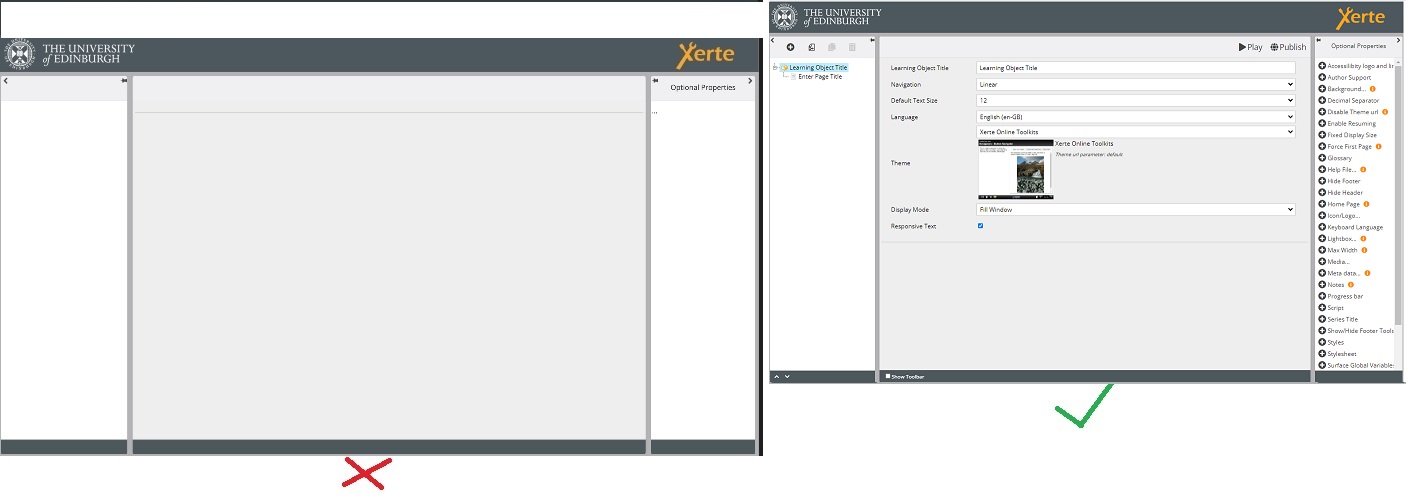

Many thanks,
Alison
Xerte v.3.10.5 (yes, I know we should be upgrading)
Would exporting the projects as a zip file and re-importing them into Xerte resolve this issue?
Any insight much appreciated. These students have a deadline of Friday 5th April.
( see Xertefilenames.jpg)
Many thanks,
Alison
Xerte v.3.10.5 (yes, I know we should be upgrading)
If you can use Lego, you can use Xerte
Last edit: 2 years 7 months ago by a511197.
Please Log in or Create an account to join the conversation.
- tom
-

- Offline
- Administrator
-

Less
More
- Posts: 1365
- Thank you received: 344
2 years 7 months ago #8971
by tom
Replied by tom on topic Possible Special Character issue corrupting projects
Would you mind sending me an export file? Than I can have a look.
I saw that you also reacted to the issue that MennoVK mentioned about corruprion, but that is a different issue (illegal characters in the actual texts). I suspect that is the case here as well. But if you are able to send me an object, I will have a look and let you know (and also let you know how you can fix it).
Tom
I saw that you also reacted to the issue that MennoVK mentioned about corruprion, but that is a different issue (illegal characters in the actual texts). I suspect that is the case here as well. But if you are able to send me an object, I will have a look and let you know (and also let you know how you can fix it).
Tom
Please Log in or Create an account to join the conversation.
- a511197
-
Topic Author
- Offline
- Premium Member
-
Less
More
- Posts: 153
- Thank you received: 10
2 years 7 months ago #8972
by a511197
If you can use Lego, you can use Xerte
Replied by a511197 on topic Possible Special Character issue corrupting projects
Many thanks Tom. Will get that to you asap.
If you can use Lego, you can use Xerte
Please Log in or Create an account to join the conversation.
- a511197
-
Topic Author
- Offline
- Premium Member
-
Less
More
- Posts: 153
- Thank you received: 10
2 years 7 months ago #8973
by a511197
If you can use Lego, you can use Xerte
Replied by a511197 on topic Possible Special Character issue corrupting projects
Tom, you should have two emails from me (sent via Xerte forum) with links to two zip files.
many thanks,
Alison
many thanks,
Alison
If you can use Lego, you can use Xerte
Please Log in or Create an account to join the conversation.
- ronm
-

- Offline
- Administrator
-
2 years 6 months ago #8974
by ronm
Xerte developer & trainer
e-learning & m-learning consultant
mitchellmedia.co.uk | xerteacademy.com | learningapps.co.uk
Note: Support here is voluntary and meant for users to support each other.
Need direct commercial support with Xerte? mitchellmedia.co.uk/contact/
Replied by ronm on topic Possible Special Character issue corrupting projects
Hi Tom/Alison
did you get any further with this?
TBH I wasn't sure how I could create a file with similar characters but at the end of an FT meeting we just had Lilian was able to paste similar characters in the zoom chat and I was able to use that to rename a test jpg file and then add that to a test xerte project.
I didn't get a corrupted project but what I did notice is that the file was accepted by something like a graphic and sound page e.g. uploaded but didn't display and also in the wysiwyg editor if selected as an image in that the file name/url got transcoded and thefore didn't display either. see screenshots.
So I didn't get corruption but the images certainly didn't show.
HTH
Ron
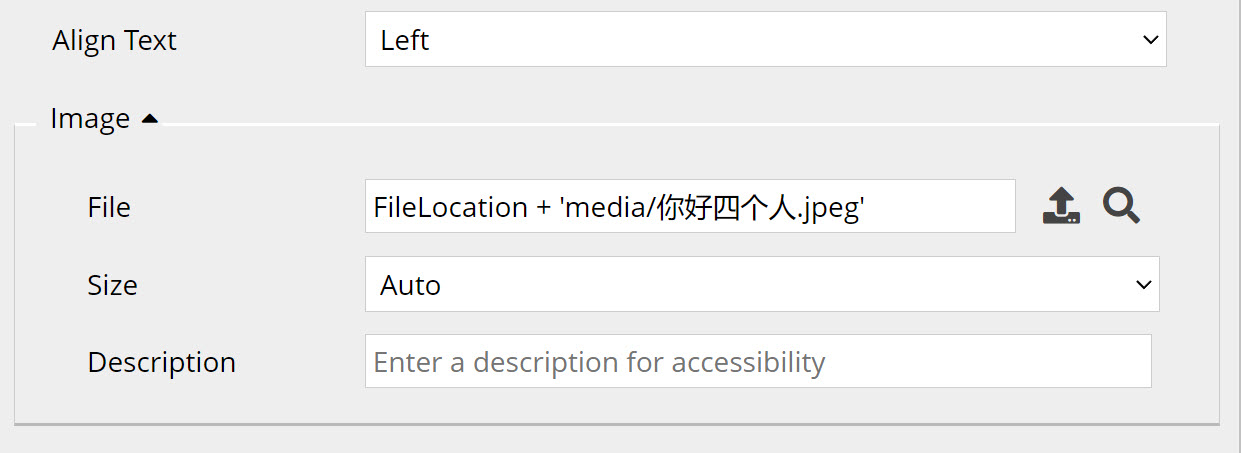
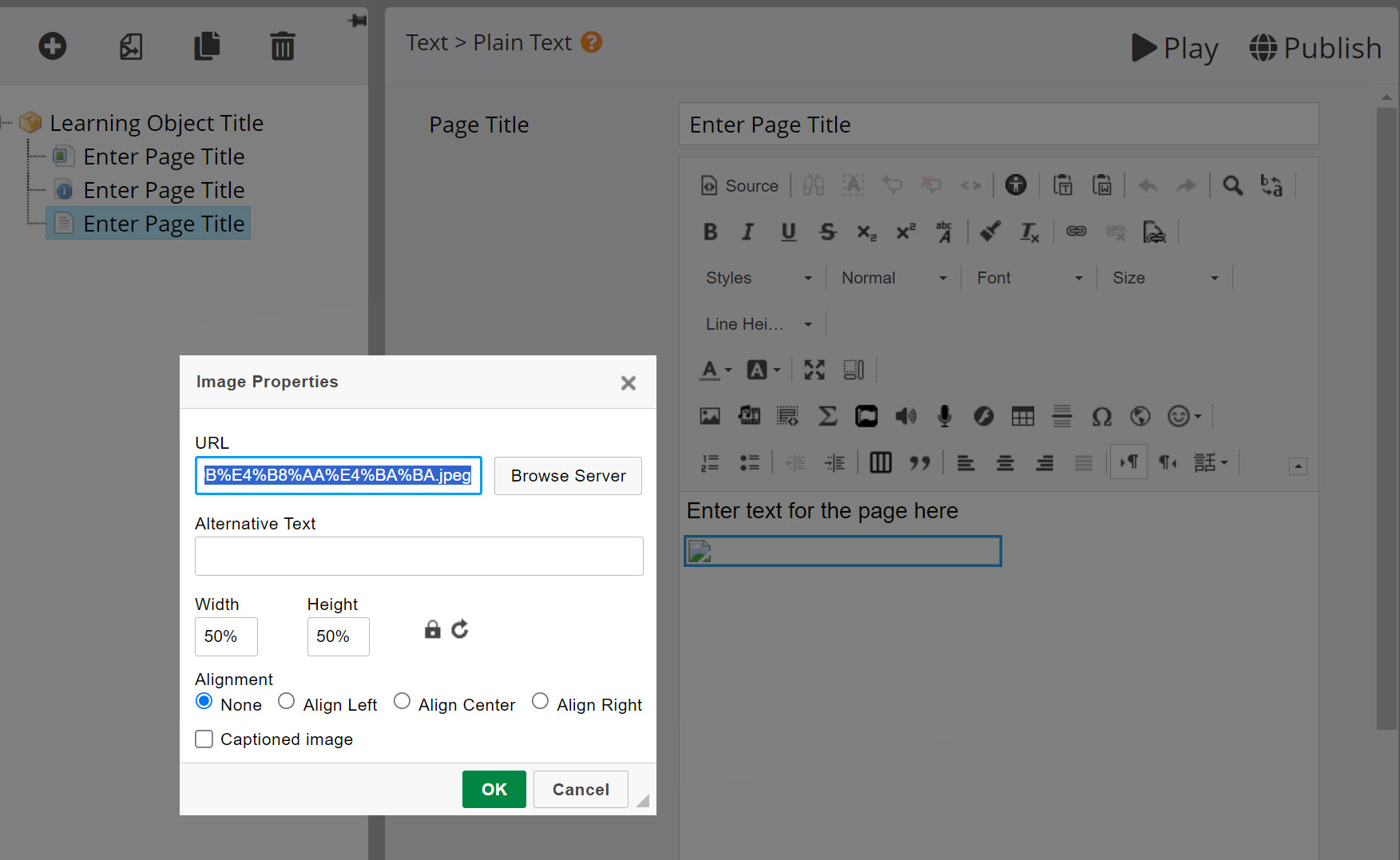
did you get any further with this?
TBH I wasn't sure how I could create a file with similar characters but at the end of an FT meeting we just had Lilian was able to paste similar characters in the zoom chat and I was able to use that to rename a test jpg file and then add that to a test xerte project.
I didn't get a corrupted project but what I did notice is that the file was accepted by something like a graphic and sound page e.g. uploaded but didn't display and also in the wysiwyg editor if selected as an image in that the file name/url got transcoded and thefore didn't display either. see screenshots.
So I didn't get corruption but the images certainly didn't show.
HTH
Ron
Xerte developer & trainer
e-learning & m-learning consultant
mitchellmedia.co.uk | xerteacademy.com | learningapps.co.uk
Note: Support here is voluntary and meant for users to support each other.
Need direct commercial support with Xerte? mitchellmedia.co.uk/contact/
Please Log in or Create an account to join the conversation.
- tom
-
- Offline
- Administrator
-
Less
More
- Posts: 1365
- Thank you received: 344
2 years 6 months ago #8975
by tom
Replied by tom on topic Possible Special Character issue corrupting projects
We're still working on this. Problem 1 was that the disk storage was full, and I noticed that as well in the exported zip files that I received. These were incomplete. I'll let you know if I where the corruption comes from if I get one of the complete exports.
Please Log in or Create an account to join the conversation.
Moderators: ronm, julten, JohnSmith
Time to create page: 0.189 seconds