

- Posts: 20
- Thank you received: 0
Report any technical problems you discover and discuss solutions.
Management page issue after fresh installation
- guidicini
-
 Topic Author
- Offline
- Junior Member
-

Less
More
4 years 11 months ago #7767
by guidicini
Management page issue after fresh installation was created by guidicini
Hello,
I have just succeeded in installing a fresh Xerte 3.10 installation on a public server of my institution. THe installation process was ok.
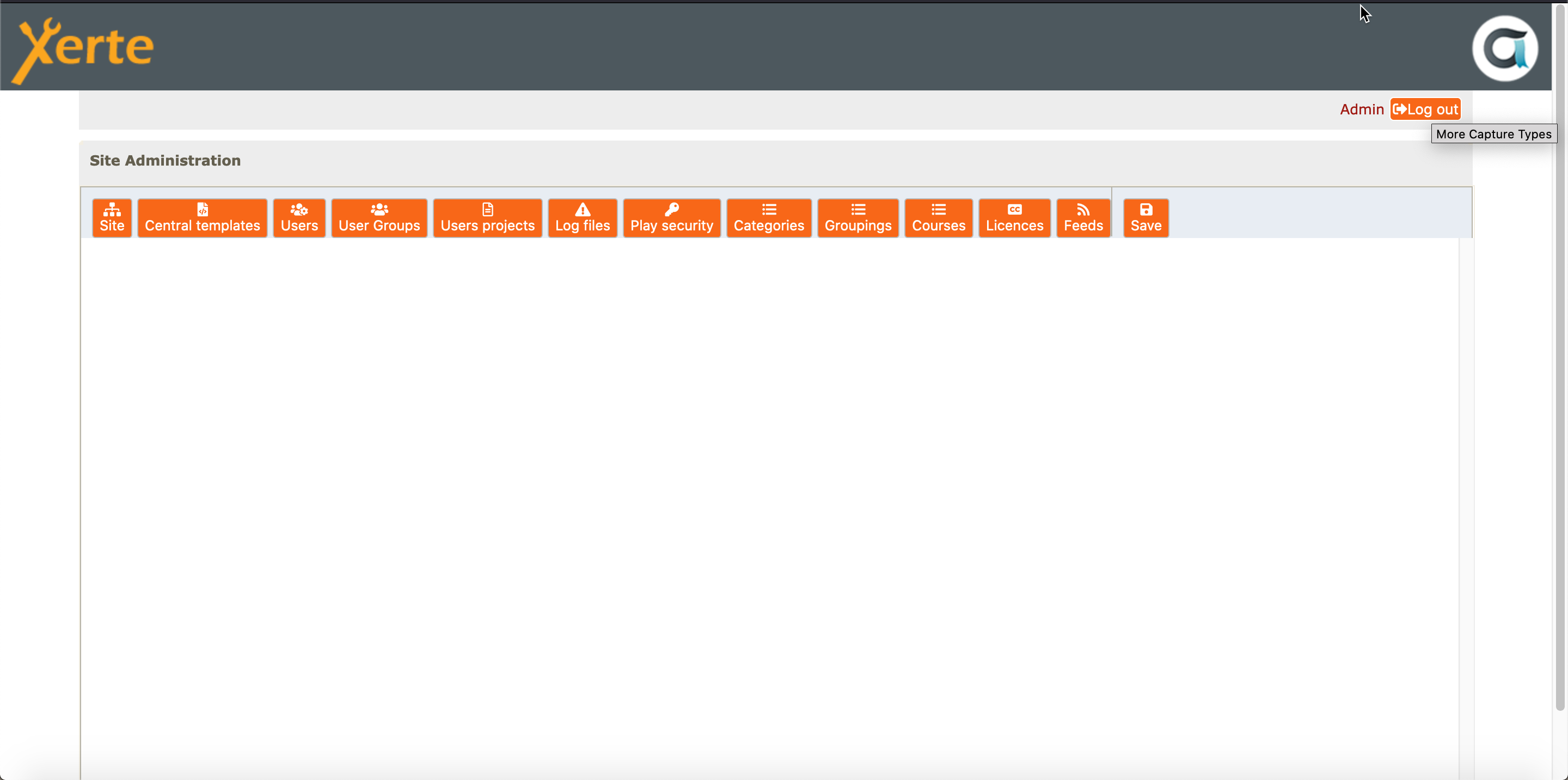
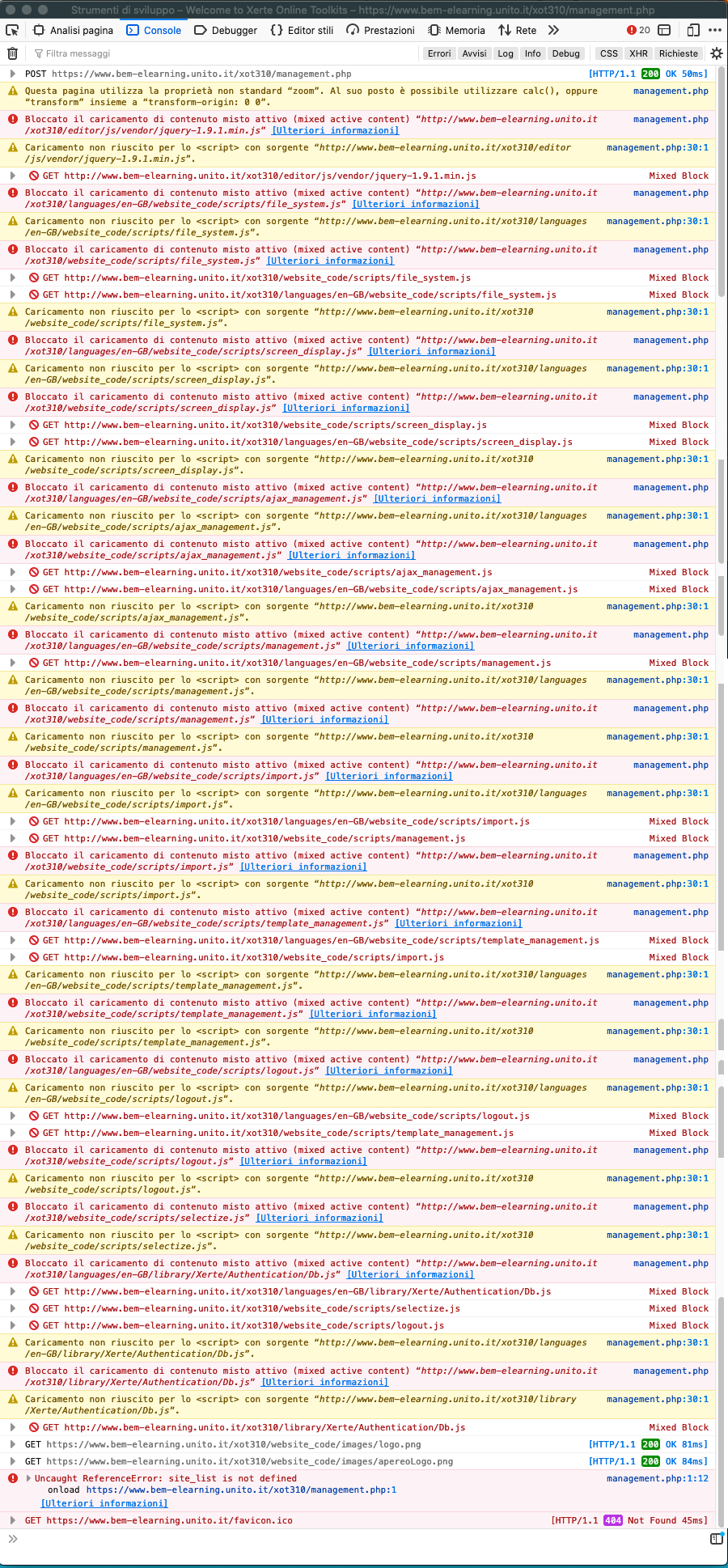
When I try to access to management.php page to change some settings the page is epmty (see he dedicated attached screenshot) and the console of my firefox tools for webdeveloper gives me what is reported in the other dedicated attached image.
Can you help me to spoto which maybe the problem?
I Haven't changed anything yet. Just concluded the procedure installation choosing the "db" authentication instead of the guest one. Choice made durgin the final step of the installation.
Thank you very much.
Fabrizio
I have just succeeded in installing a fresh Xerte 3.10 installation on a public server of my institution. THe installation process was ok.
When I try to access to management.php page to change some settings the page is epmty (see he dedicated attached screenshot) and the console of my firefox tools for webdeveloper gives me what is reported in the other dedicated attached image.
Can you help me to spoto which maybe the problem?
I Haven't changed anything yet. Just concluded the procedure installation choosing the "db" authentication instead of the guest one. Choice made durgin the final step of the installation.
Thank you very much.
Fabrizio
Please Log in or Create an account to join the conversation.
- tom
-

- Offline
- Administrator
-

Less
More
- Posts: 1365
- Thank you received: 344
4 years 11 months ago #7768
by tom
Replied by tom on topic Management page issue after fresh installation
Somehow the value of site_url in the database is not correct. It is set to http instead of https.
There is a utility in the installation to fix this:
1. Login in the management.php page (to create an admin session in the browser)
2. Navigate to <xerte url>/tohhtps.php (so replace management.php with tohttps.php)
3. Go back to the management.php page and see if it now works as intended
There is a utility in the installation to fix this:
1. Login in the management.php page (to create an admin session in the browser)
2. Navigate to <xerte url>/tohhtps.php (so replace management.php with tohttps.php)
3. Go back to the management.php page and see if it now works as intended
The following user(s) said Thank You: guidicini
Please Log in or Create an account to join the conversation.
- guidicini
-
Topic Author
- Offline
- Junior Member
-
Less
More
- Posts: 20
- Thank you received: 0
4 years 11 months ago - 4 years 11 months ago #7769
by guidicini
Replied by guidicini on topic Management page issue after fresh installation
Hello Tom,
thank you very much for your prompt reply.
The tohttps.php file unfortunately had no results: it opened a white page without doing nothing. I wen back to management.php but nothing was changed.
With your tip about the site_url field, though I managed to fix the problem manually changing that value directly in the database table.
So thank you.
Fabrizio
thank you very much for your prompt reply.
The tohttps.php file unfortunately had no results: it opened a white page without doing nothing. I wen back to management.php but nothing was changed.
With your tip about the site_url field, though I managed to fix the problem manually changing that value directly in the database table.
So thank you.
Fabrizio
Last edit: 4 years 11 months ago by guidicini.
Please Log in or Create an account to join the conversation.
- tom
-
- Offline
- Administrator
-
Less
More
- Posts: 1365
- Thank you received: 344
4 years 11 months ago #7770
by tom
Replied by tom on topic Management page issue after fresh installation
Glad you fixed it. For future reference.
The other method is to go into the database and change the site_url column (change http to https) of the sitedetails table.
The other method is to go into the database and change the site_url column (change http to https) of the sitedetails table.
Please Log in or Create an account to join the conversation.
Moderators: ronm, julten, JohnSmith
Time to create page: 0.893 seconds