

- Posts: 36
- Thank you received: 0
Report any technical problems you discover and discuss solutions.
Firefox pop-up blocked causes view LOs differently
- Jin
-
 Topic Author
- Offline
- Junior Member
-

Less
More
12 years 4 days ago #2382
by Jin
Firefox pop-up blocked causes view LOs differently was created by Jin
Hello,
We have users reported a problem of using Firefox with XOT. They had pop-up blocked on the Firefox browser. After they allowed pop-up during they created an object in XOT, they could see other people's Learning Objects. I wonder if this is a known issues? Can you provide suggestions?
Users are using Firefox 24.0 on Windows 7.
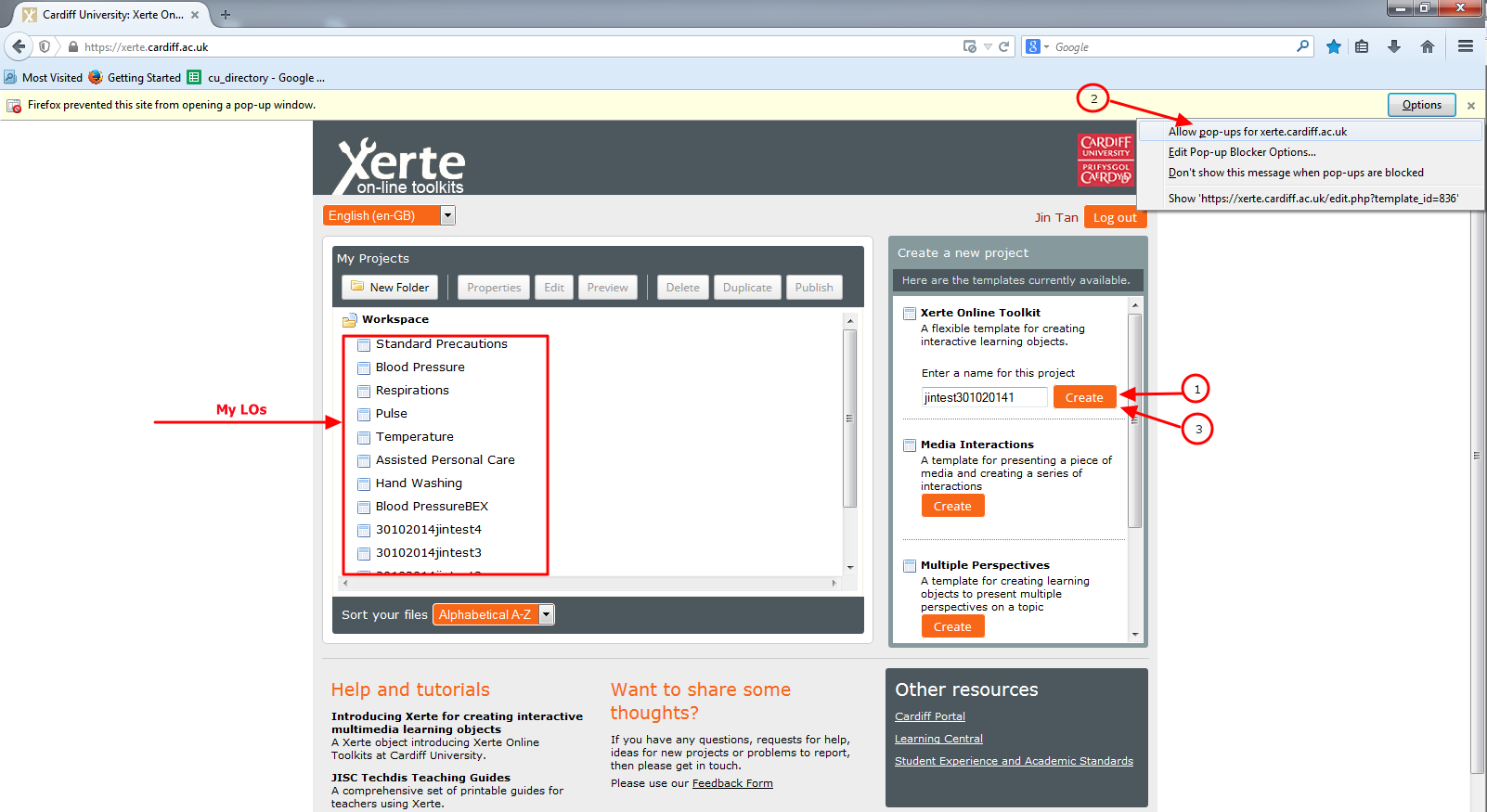
I am able to replicate the issue (Firefox 33.0.2 on windows 7). Steps:
- Open Firefox browser.
- Clear cookies and caches.
- Tick the box check-box next to the Block pop-up windows.
- Click the Exceptions button and check that the XOT site is not in the list. (This blocks pop-ups of the XOT site)
- Close the browser and re-open it.
- Sign in the XOT site.
- Click the Create button under the Xeret Online Toolkit section.
- Enter a name "jintest301020141" for a new project and click Create button, then a Firefox message appears. Click the options button and allow the pop-up for the XOT site.
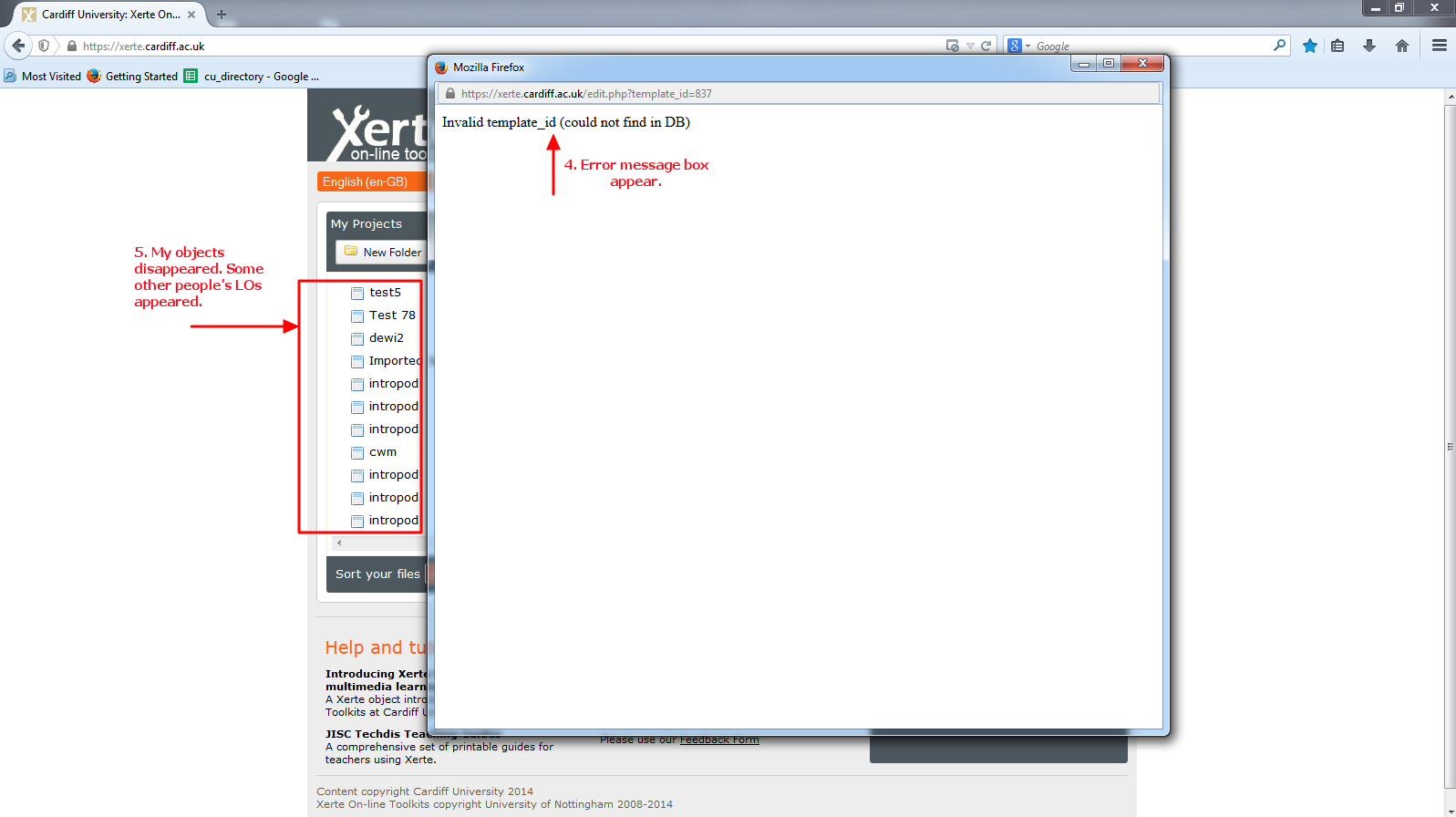
- The new object does not appear in the My Projects list, so click the Create button again, then it returns an error message.
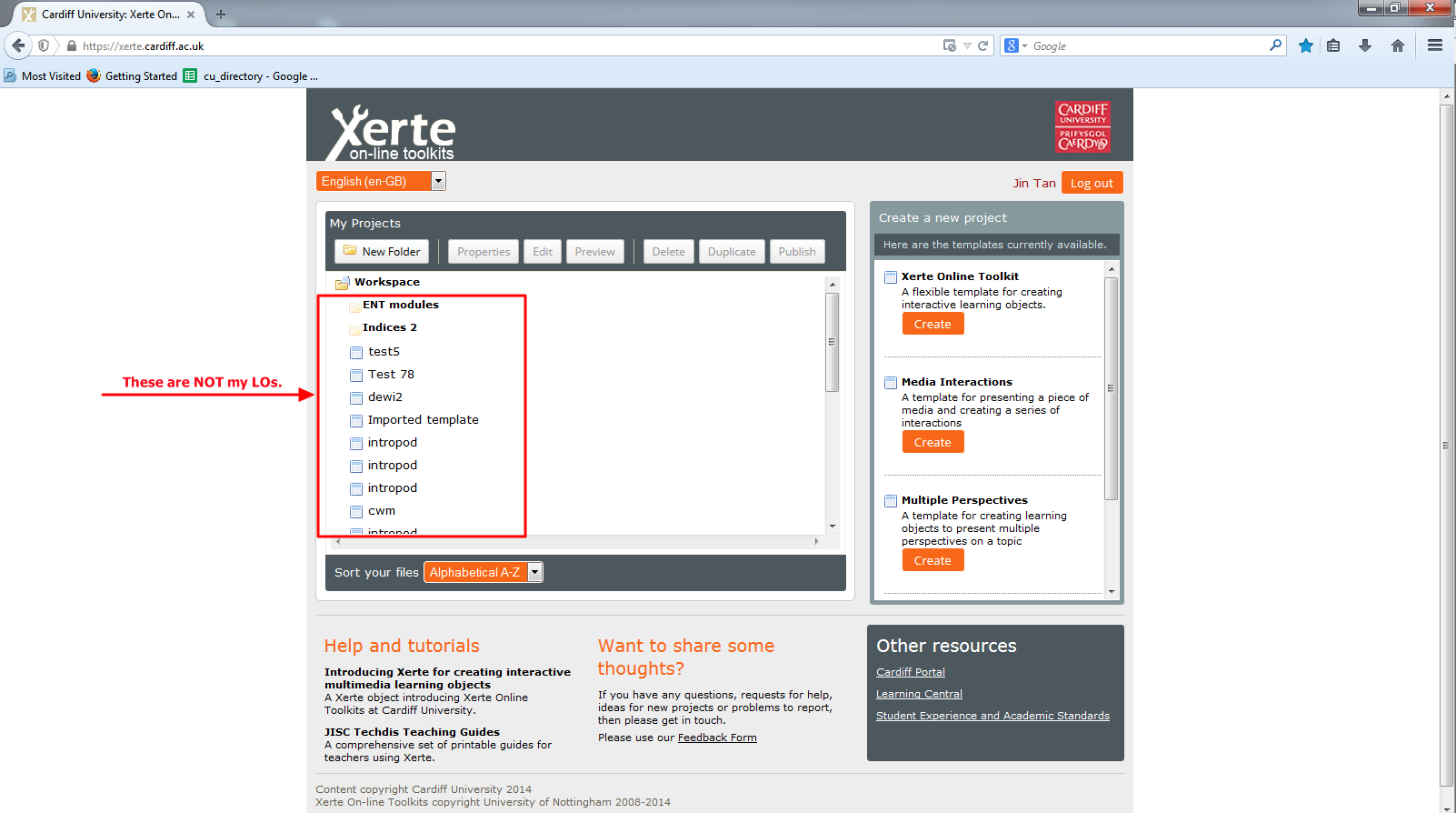
- Then other people's LOs appear on My Projects list, My own objects are disappeared.
- Log out the XOT site.
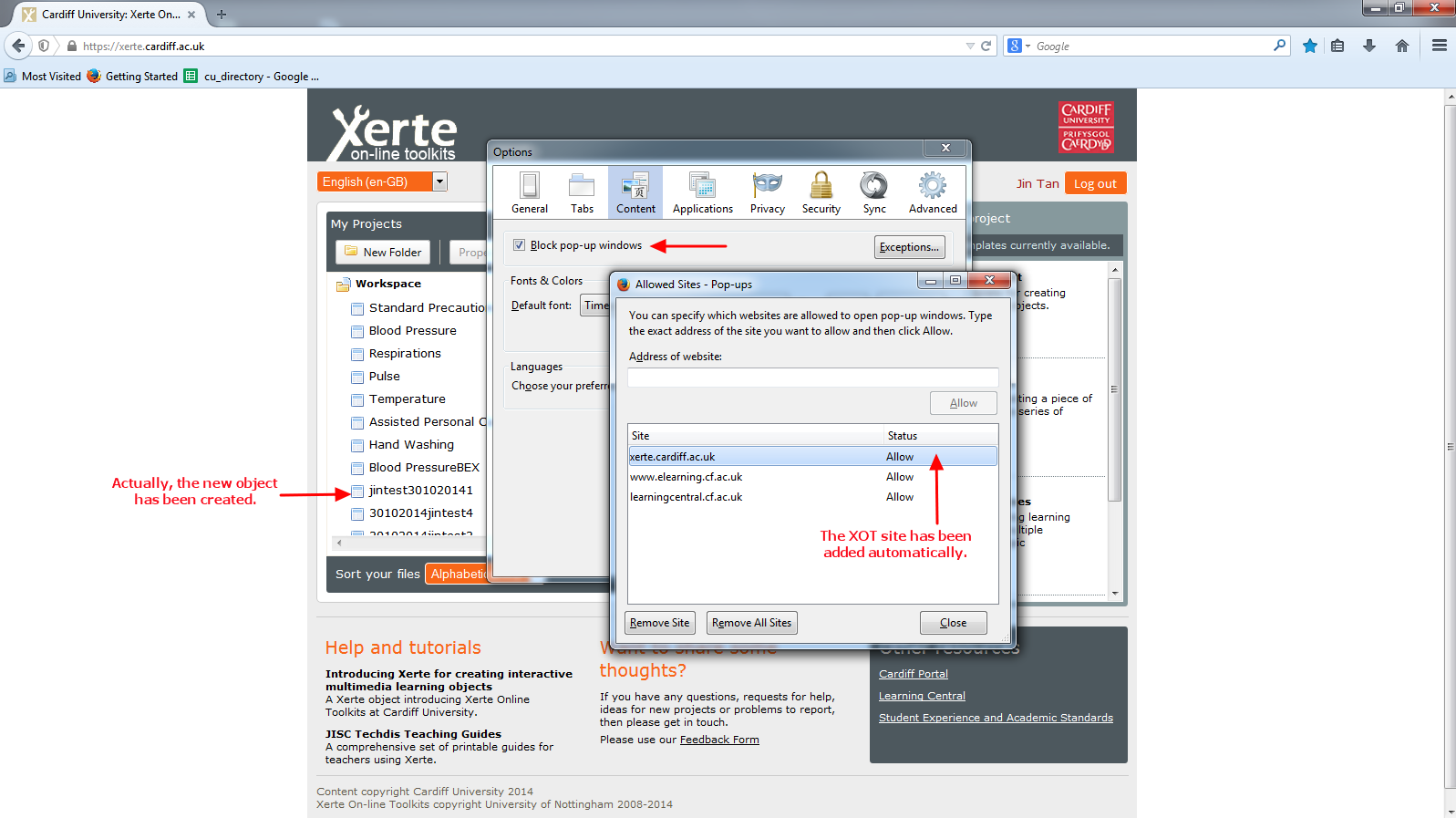
- Log on again and I can see my new object is created.
- Check the Browser settings and it looks fine, allows the XOT pop-up.
I have attached the screenshots to explain.
Thank you.
Jin
We have users reported a problem of using Firefox with XOT. They had pop-up blocked on the Firefox browser. After they allowed pop-up during they created an object in XOT, they could see other people's Learning Objects. I wonder if this is a known issues? Can you provide suggestions?
Users are using Firefox 24.0 on Windows 7.
I am able to replicate the issue (Firefox 33.0.2 on windows 7). Steps:
- Open Firefox browser.
- Clear cookies and caches.
- Tick the box check-box next to the Block pop-up windows.
- Click the Exceptions button and check that the XOT site is not in the list. (This blocks pop-ups of the XOT site)
- Close the browser and re-open it.
- Sign in the XOT site.
- Click the Create button under the Xeret Online Toolkit section.
- Enter a name "jintest301020141" for a new project and click Create button, then a Firefox message appears. Click the options button and allow the pop-up for the XOT site.
- The new object does not appear in the My Projects list, so click the Create button again, then it returns an error message.
- Then other people's LOs appear on My Projects list, My own objects are disappeared.
- Log out the XOT site.
- Log on again and I can see my new object is created.
- Check the Browser settings and it looks fine, allows the XOT pop-up.
I have attached the screenshots to explain.
Thank you.
Jin
Please Log in or Create an account to join the conversation.
- Jin
-
Topic Author
- Offline
- Junior Member
-
Less
More
- Posts: 36
- Thank you received: 0
11 years 11 months ago #2450
by Jin
Replied by Jin on topic Firefox pop-up blocked causes view LOs differently
I wonder if anyone have the similar problem?
Please Log in or Create an account to join the conversation.
Moderators: ronm, julten, JohnSmith
Time to create page: 0.176 seconds